
Direct answer
What is an AI UGC script template?
A practical 15-second AI UGC script uses five adjustable beats: hook, context, lived-in detail, product and restrained benefit, then a low-pressure next step. Treat the timestamps as a planning allocation, separate dialogue from visible action, and revise the copy after reading it aloud at a natural pace.
A written beat is not a guaranteed duration. Speaking speed, pauses, product handling, shot changes, and the selected generation workflow all affect the final timing, so test the script before production.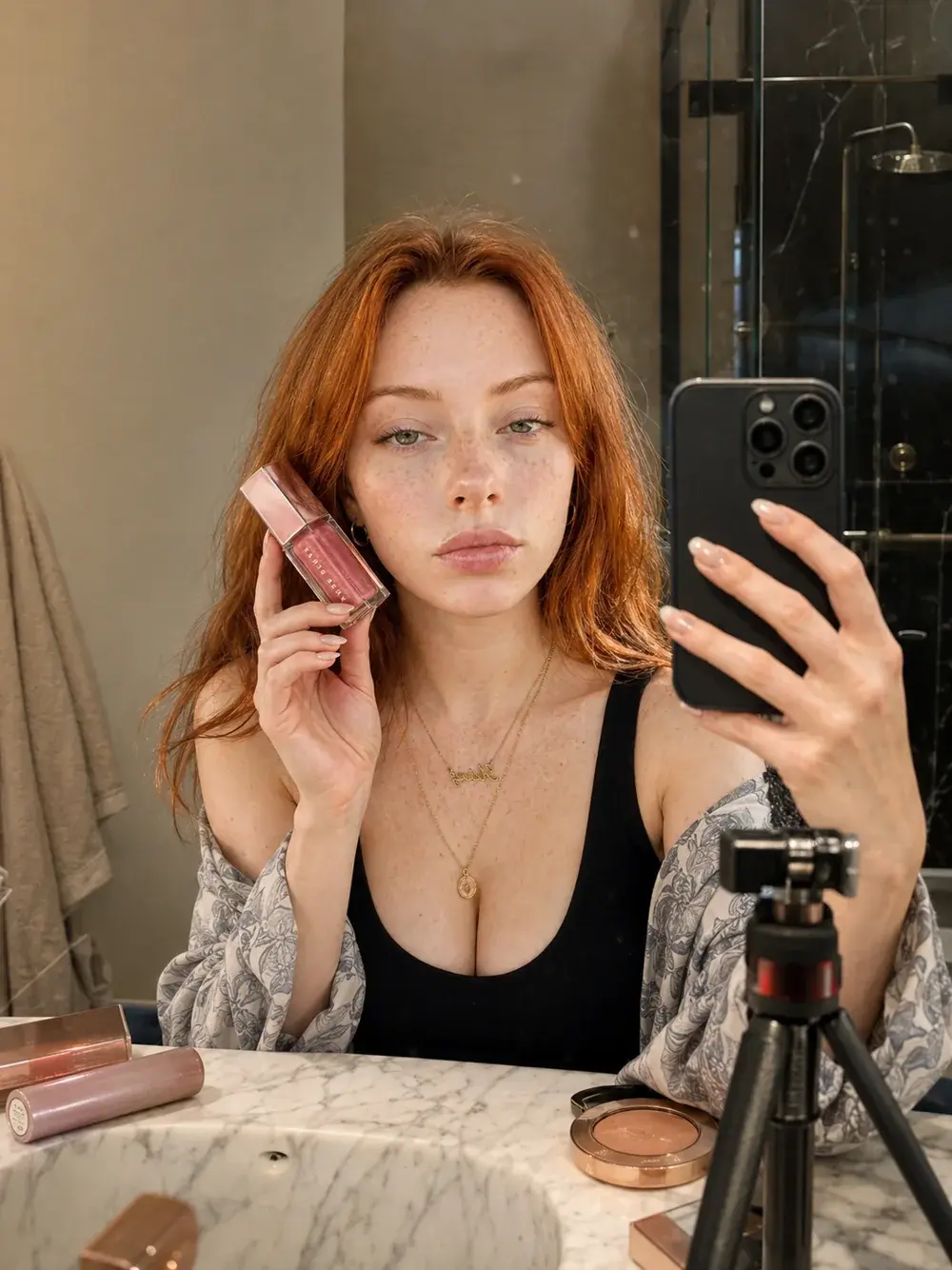
First-hand production proof
One synthetic creator carried a short UGC performance.
The study planned one simple product action, one clear performance beat, and a phone-native vertical first frame for an original red-haired creator. The same identity appeared across café, street, bathroom product, and close product frames before the final 15-second Seedance 2.0 output.
Inspect the complete case studyThis is an independent AI-generated production study using an original synthetic character. Any third-party marks visible in generated frames are unofficial visual references; no affiliation or endorsement is implied.Use five short beats
A compact structure gives the model and the editor a clear job at every moment.
- 0-2 seconds: a specific doubt, frustration, or unexpected observation.
- 2-5 seconds: the situation that makes the problem relevant.
- 5-8 seconds: a relatable detail that makes the creator feel lived-in.
- 8-12 seconds: a stable product introduction and restrained benefit.
- 12-15 seconds: a low-pressure next step in the same voice.
Write actions separately from dialogue
Keep the visible direction simple: glance at the screen, hold the product near the lower frame, tilt the bottle once, or give a small half-smile. Dense physical choreography creates hand errors, label drift, and unnatural timing.
The creator-native language test
Read the script aloud without performing it. Remove any phrase that sounds like a product page, any claim the creator could not know, and any sentence too polished to say casually. The final script should sound like an observation, not a brand approval document.
Write the spoken line and visible action separately
Give each beat one message and one observable action. A line can introduce the doubt while the creator glances at the product; the next beat can supply context while the product remains stable. Avoid asking one short shot to speak, turn, open packaging, apply a product, change expression, and reframe the camera.
Use a two-column draft: dialogue on the left, action and framing on the right. Reading only the dialogue tests the voice. Reading the action column tests whether the storyboard is physically simple and whether the product can remain visible.
- Dialogue: the exact words the creator says.
- Action: one visible movement or product interaction.
- Frame: camera distance and product position.
- Evidence: the approved claim, observation, or product fact supporting the line.
Use timing as a revision tool
Read the full script aloud with natural pauses and a timer. If a beat runs long, remove setup words, split the idea, or simplify the action instead of accelerating the delivery until it stops sounding conversational.
Then review the storyboard without dialogue. The hook should still be visually legible, the product introduction should have a stable frame, and the final next step should not require a new scene or claim that the preceding beats did not support.
Draft one complete fictional example before generating
Use a fictional product to test whether the template is producible. In this example, the item is an unbranded desk light with an approved adjustable-brightness feature. The sequence demonstrates structure only; it is not a client script or performance claim.
- 0-2 seconds — Dialogue: “My desk always feels too bright at night.” Action: creator looks from the screen toward the lamp.
- 2-5 seconds — Dialogue: “I wanted one light I could soften without changing the whole setup.” Action: hand rests beside the control.
- 5-8 seconds — Dialogue: “This one stays on my desk because the adjustment is simple.” Action: one controlled brightness change.
- 8-12 seconds — Dialogue: “I use the lower setting when I edit after dark.” Action: stable product frame with the approved feature visible.
- 12-15 seconds — Dialogue: “Check the setup details if that is your problem too.” Action: return to the creator with a quiet on-screen CTA.
Diagnostic table
Find the failed layer before regenerating.
| Visible signal | Likely cause | Controlled correction |
|---|---|---|
| A beat runs beyond its planning window when read aloud | The line contains multiple ideas, setup phrases, or unnecessary qualifiers | Keep the strongest idea, shorten the syntax, and retime the complete script |
| Dialogue sounds like a landing page | Feature lists and formal brand language replaced spoken observation | Rewrite in the creator's natural vocabulary and keep one relevant product point |
| The storyboard asks for several actions in one beat | Product demonstration and narrative progress were compressed together | Choose one primary action or divide the sequence into separate shots |
| The creator states a result the brief cannot support | A persuasive claim was added without evidence or qualification | Use an approved product fact, a bounded observation, or remove the claim |
Production checklist
Approve the system, not only the best frame.
- The hook names one specific doubt, problem, or observation.
- Every beat has one communication goal and one visible action.
- Dialogue and action directions are written in separate columns.
- The complete script has been read aloud and retimed at a natural pace.
- The product appears in a stable, readable frame without excessive handling.
- Benefits, comparisons, disclosures, and the CTA match the approved brief and available evidence.
Frequently asked
Questions this workflow should answer.
How many words fit in a 15-second UGC script?
There is no universal count. Speaking style, pauses, emphasis, and actions change the available time. Draft by beats, read the exact copy aloud, and cut until the delivery feels natural.
Should action directions be included with the dialogue?
Document both, but keep them in separate fields. This makes it easier to evaluate spoken language and visible complexity independently.
Can the same script template work for different creators?
The beat structure can transfer, but vocabulary, knowledge level, environment, objection, product relationship, and delivery should be adapted to the chosen creator direction.

Written from production practice
Omer Faruk Sahin
Founder, CEO, and Creative Director at AI Craft Academy. Omer leads strategy, product, advertising, creative direction, and the production systems documented in these field guides.
Founder profileContinue building
Learn the complete production workflow.
The Academy connects prompt structure to references, first frames, motion, editing, distribution, and monetization.
Explore the Academy