Realism prompts
AI skin realism prompt
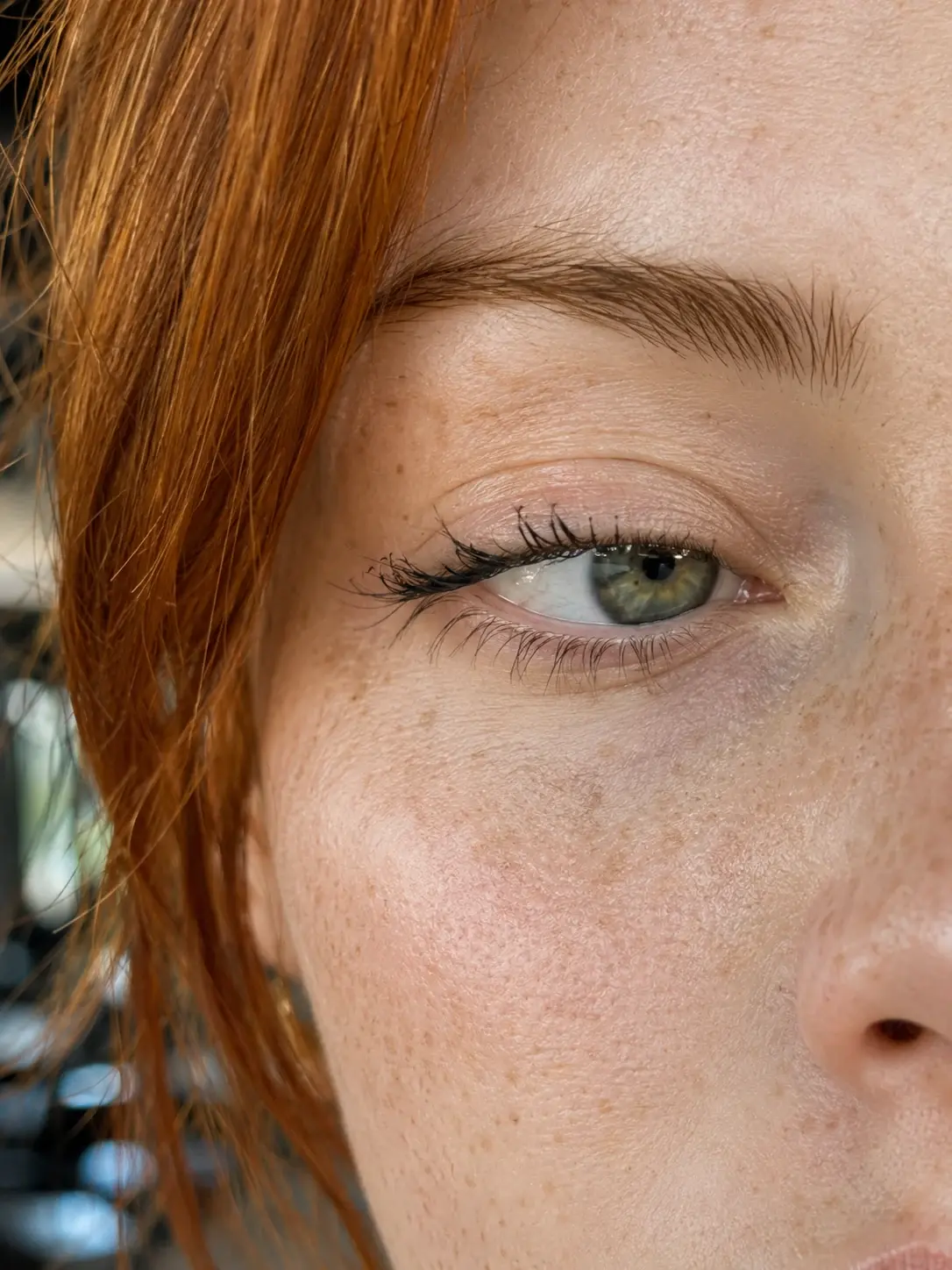
Use pores, micro-reflections, tiny imperfections, and natural texture cues to make AI portraits feel less synthetic.
What this workflow solves
The prompt has to control more than the idea.
People searching this want realistic AI portrait prompts that avoid plastic skin and synthetic beauty retouching.
The difference between a weak AI output and a usable workflow is control. References need to be locked, the environment needs rules, and the camera style needs to match the final platform.
This page covers the core method. Inside the Academy, it connects to deeper lessons on reference handling, prompting, video generation, editing, distribution, and monetization.
Inputs
What you need before prompting.
Steps
A simple breakdown.
- 01Avoid plastic-smooth skin instructions.
- 02Ask for natural imperfections and texture.
- 03Control light reflection on eyes, lips, and fabric.
- 04Use macro detail only where it supports realism.
Prompt structure
Use the prompt to protect the output from drifting.
Describe natural skin texture directly: pores, tiny redness, freckles, uneven tone, and soft peach fuzz.
Control eye moisture, catchlights, and tear duct detail.
Use a believable camera source such as phone camera, macro lens, or documentary portrait.
Avoid beauty-filter language unless the output should look polished.
Common mistakes
Why similar prompts often fail.
Next step
Turn the output into a content system.
Apply the realism cues to UGC creators, founder portraits, AI characters, and close-up product-with-person visuals.
Inside AI Craft Academy, workflows like this connect to prompt packs, first-frame planning, AI video generation, editing, distribution, and monetization.
Want the full system?