Automotive visuals
AI car tech poster prompt
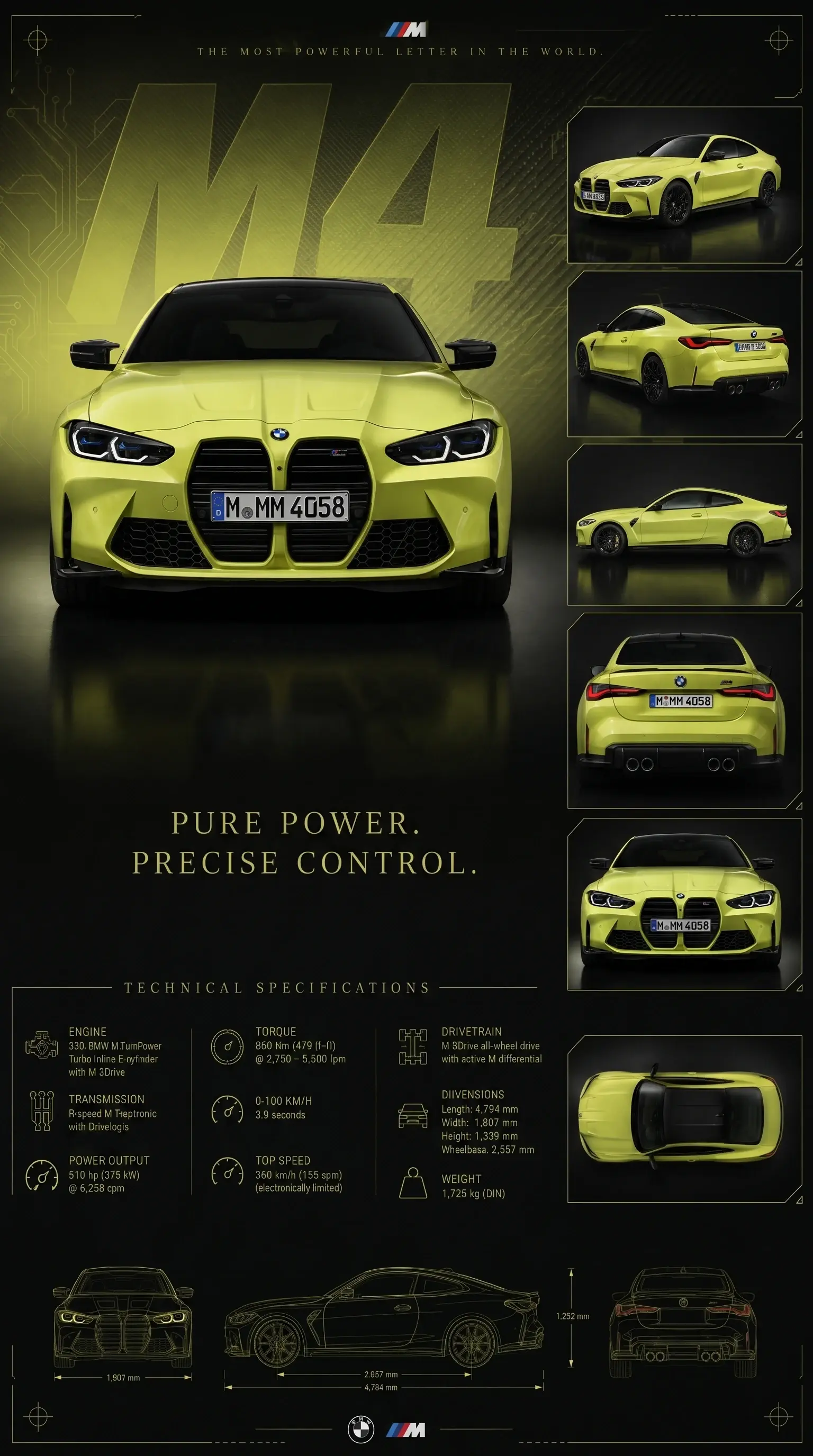
Turn a car reference into a premium automotive technical poster while preserving model details and design modifications.
What this workflow solves
The prompt has to control more than the idea.
People searching this want a car poster prompt that preserves the exact model while creating a premium tech visual.
The difference between a weak AI output and a usable workflow is control. References need to be locked, the environment needs rules, and the camera style needs to match the final platform.
This page covers the core method. Inside the Academy, it connects to deeper lessons on reference handling, prompting, video generation, editing, distribution, and monetization.
Inputs
What you need before prompting.
Steps
A simple breakdown.
- 01Upload a clean car reference.
- 02Preserve paint, wheels, badges, aero, and stance.
- 03Create a controlled studio poster system.
- 04Add blueprint details and readable spec sections.
Prompt structure
Use the prompt to protect the output from drifting.
Start with car preservation: model, paint, wheels, badges, aero, stance, and body modifications.
Use a controlled studio environment to avoid random roads or outdoor backgrounds.
Add design language: technical spec area, blueprint markers, subtle typography, and background geometry.
Keep the car dominant and avoid clutter that steals attention.
Common mistakes
Why similar prompts often fail.
Next step
Turn the output into a content system.
Use the poster output as a carousel slide, prompt overlay proof, or visual asset inside an automotive content pack.
Inside AI Craft Academy, workflows like this connect to prompt packs, first-frame planning, AI video generation, editing, distribution, and monetization.
Want the full system?